

You can download the GTalkabout Lite Client Edition to read and post messages in this forum, helping us improve users’ experience together.
Below, we will discuss how to use GTalkabout on phpBB to collaborate with others.
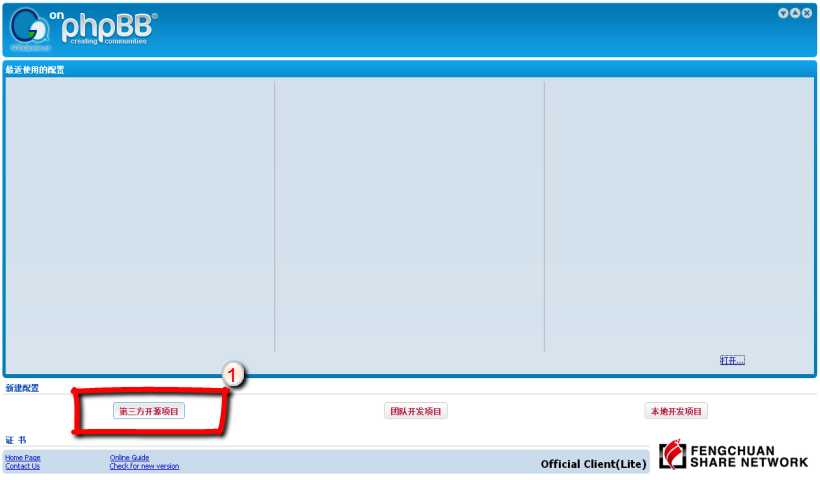
Step 1: in the program startup interface, select "3rd Party Open Source".
The program will then move to the project configuration interface. Select the "Server" configuration page. Notice that the server URL is http://phpbb.gtalkabout.com, the root for this BBS.
Step 2: in the configuration interface, type f=4 in the input box that is marked with the red "2", as shown below (to the right of "Project ID").
"f=4" means that the discussion forum ID is "4". This is mirrored in the browser address bar, as this picture illustrates:

The browser address bar's url contains the text "f=4&t=2". This means "forum 4", "topic 2". Typically, a given forum will contain one specific project. "Forum 4" is the discussion address for the GTalkabout on phpBB project as a whole.
Click ok to enter the program's main interface. After initializing, you will see the following interface:
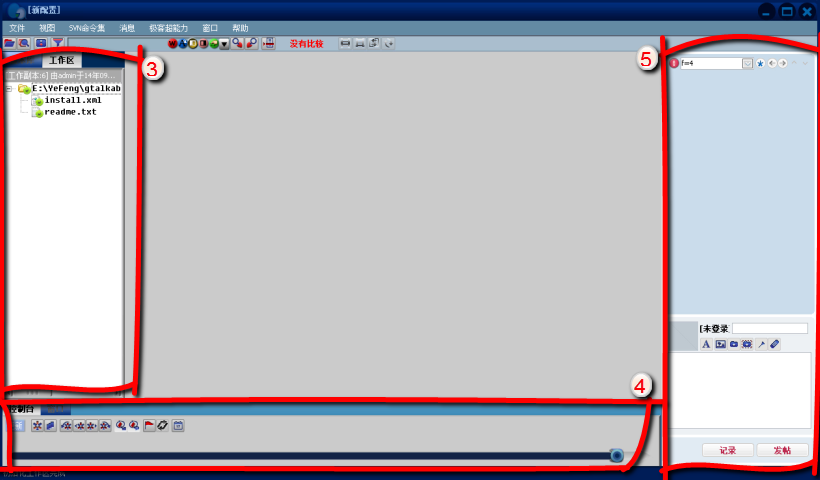
The area highlighted in red marked with a "3" is the open source project's source code. There are two tabs. Under the repository tab you will find the file list in the remote server. The workpath tab has a list of files to be downloaded to your computer;
The red area marked with a "4" is the repository's control panel. It contains a graphical representation of various tools you can use to control your repository.
The red area "5" highlights your integrated 'post browser' that lets you read through any and all posts in this forum. The upper part of this 'post browser' is for reading, the lower part for posting/replying.
If you have used the GTalkabout Personal or Professional editions, then you will find a standard GTalkabout interface in addition to the post browser.
The following examples will illustrate how to use GTalkabout on phpBB to read posts:
As you can see from the area highlighted in red in the picture below, we're now looking at topic "5". It is the topic/thread titled "Add 'gtm' extension type". This post explains more about how to use the MOD to modify a BBS to support GTalkabout on phpBB. Open the post - it should look similar to the picture below:
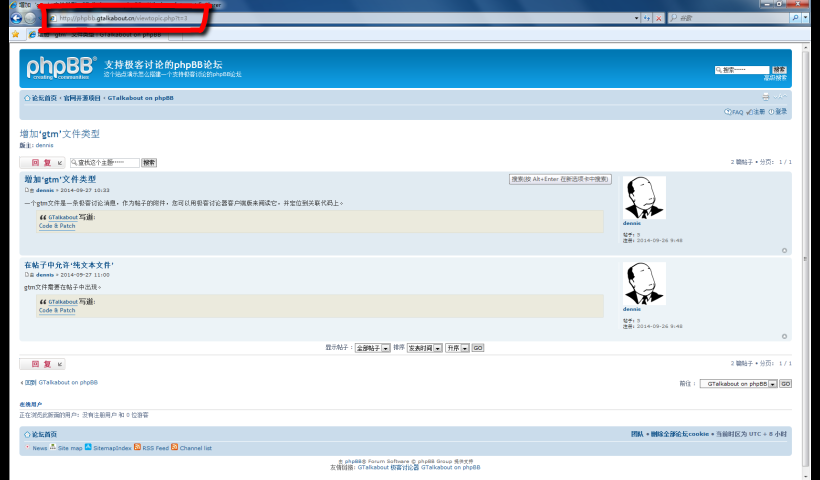
The URL in the address bar in the picture above is viewtopic.php?f=4&t=5. That means we are in topic ID "5", forum "4".
Using a browser reveals a post that looks exactly the same as a typical BBS post. However, each message has been marked with a 'reference frame', and this is produced by GTalkabout and requires the use of GTalkabout to read.
A demonstration of how to read this topic in GTalkabout follows:
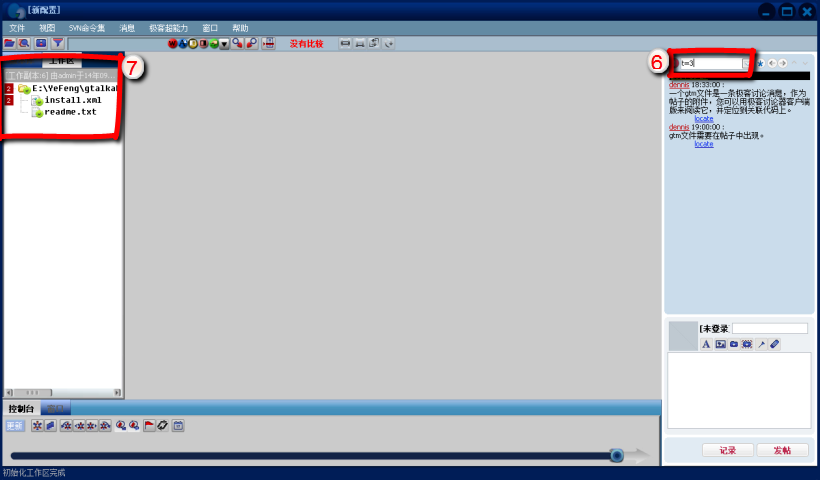
As shown in the red area marked with a "6", if you type "t=5" and press enter, then you will read this topic and all of its replies in GTalkabout. Moreover, as shown in the red area marked with a "7", the software will show the user the number of posts discussing this in that source code. As you can see in this example, there are two posts in "t=3" (or topic 3) that discuss the file "install.xml", so a '2' is displayed alongside.
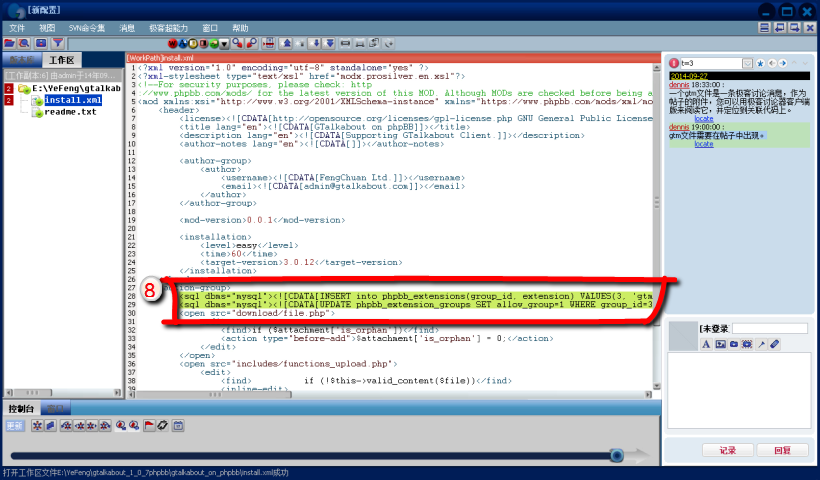
Double-click on it to open the install.xml file. The program will highlight the two lines of green code that relate to the two forum posts, as shown in the red area marked with an "8":
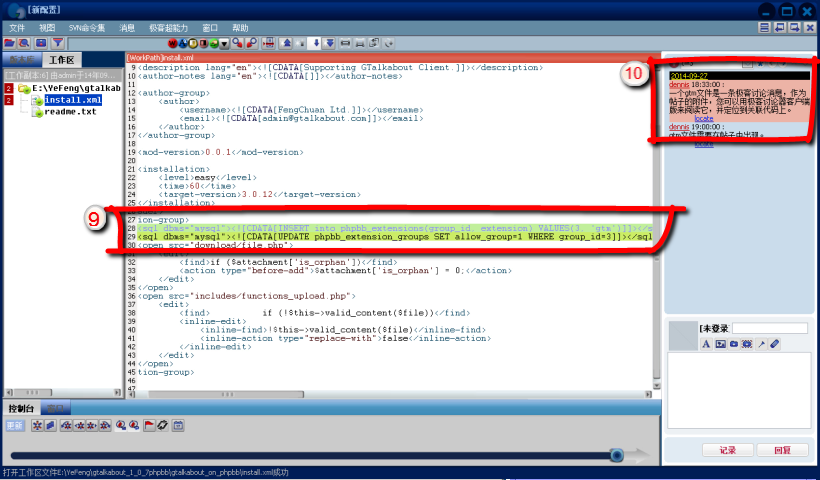
Click on the first line of highlighted green code, as shown in the red area marked with a "9". The 'post browser' will then show the user the associated post in the topic, by highlighting it in red. As you can see, it is the first post in the topic, as shown in the red area marked with a "10":
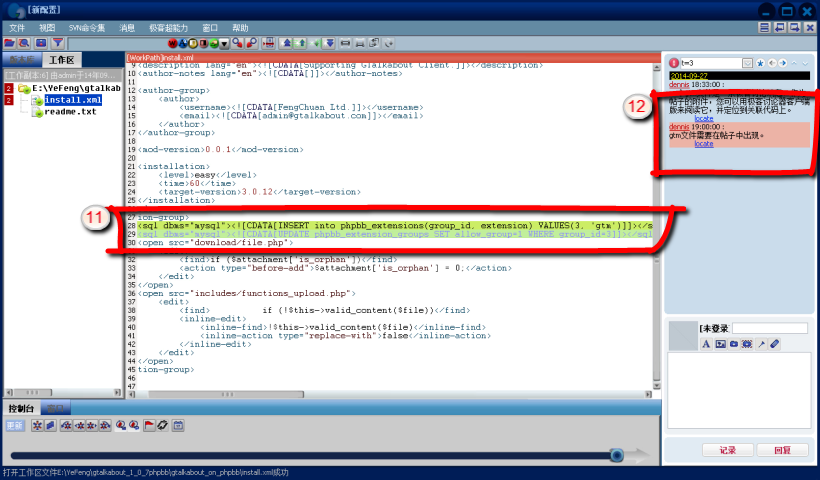
Click on the second line of green-highlighted code, as shown in "11", and thereby the program will highlight to the user that this code is related to the second post in the topic, which will now turn red, as you can see in "12".
We have now looked at how to use GTalkabout on phpBB to read and post, how to understand all the posts in this BBS, the basic layout of GTalkabout on phpBB, how to use the GTalkabout on phpBB through the client and browser, and how to read relevant parts of the source code alongside relevant forum posts. The whole GTalkabout on phpBB experience is available for download at the touch of a link.
GTalkabout wrote:Code & Patch

 News
News Site map
 SitemapIndex
 RSS Feed
